Design Projects Coding Projects Experiments / Arts Writing About Resume / CV ↗

Canvas · Communication & Collaboration Redesign

Streamlining the group-work experience in Quercus, the University of Toronto's Canvas LMS.

Quercus (Canvas Student) manages course materials, grades, notifications and group work for every student at the University of Toronto — yet coordinating a group project through it is so hard that nine out of ten students leave for WhatsApp, Google Docs and iMessage.

A course project following the double diamond: discover, define, develop, deliver — from 54 participants to a tested mid-fidelity prototype.

Timeline
Sep – Dec 2024Course project
Role
Team memberUsability testing, prototyping, design interviews
Keywords
EducationMobileUX ResearchUsability TestingPrototypingFigma
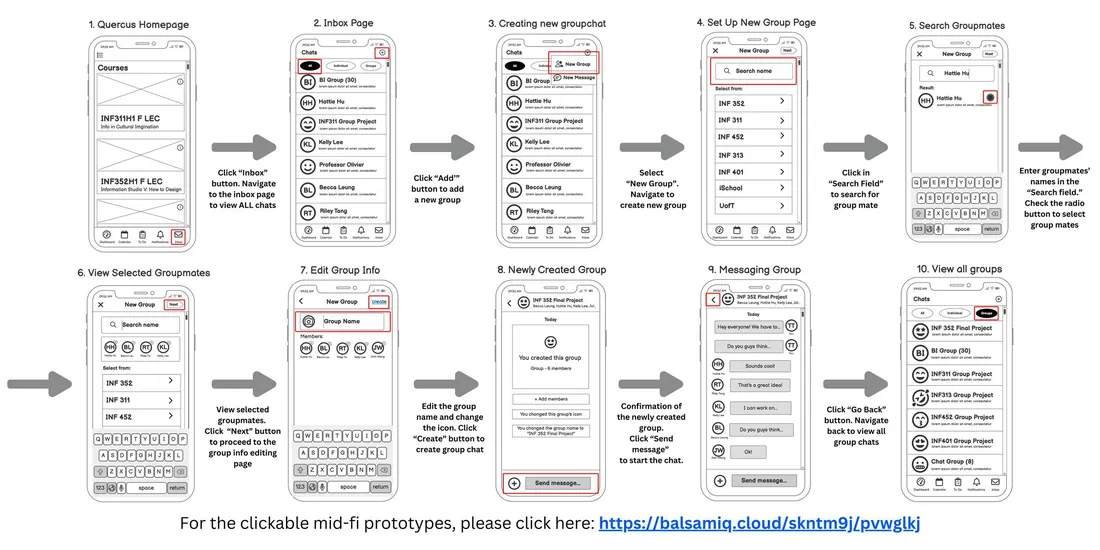
Mid-fidelity prototype flow of the redesigned Quercus group chat
Mid-fidelity prototype: from the Quercus homepage to creating and viewing group chats.

01.Discover

Quercus (Canvas Student) is the LMS used at the University of Toronto for course materials, grades, notifications and group work. The project began with an observation every UofT student shares: an overwhelming amount of group work across courses, and the difficulty of coordinating it through the official platform.

“Why is it so hard to communicate with group members through Quercus?”
“How can we make group work more streamlined within our official platform?”
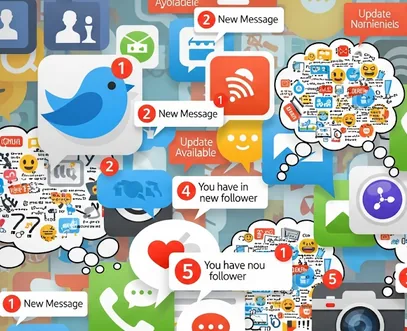
Illustration of overlapping chat and notification icons

02.Define

A mixed-method study revealed a critical UX failure: fragmentation of workflow. Students are forced to rely on external tools to complete collaborative assignments despite Canvas being the official LMS.

44
survey participants · quantitative
10
interviews · qualitative
9 / 10
students rely on external tools

Where students actually talk

WhatsApp / iMessage
65.9%
In-class
54.5%
Email
50.0%

What they wish they had

File sharing
72.7%
Group messaging
65.9%
Video calls
36.4%

Why they leave the LMS

Poor engagement
65.9%
Decision delays
56.8%
Task coordination
54.5%

Pain points

  • Submission and deadline issues
  • Scheduling conflicts
  • Workload distribution
  • Inefficient meetings and poor-quality outputs

Affinity diagram

We organised interview responses with affinity mapping, grouping similar insights into four themes.

How they track progress and deadlinesMicrosoft Teams to set up meeting times and keep notes; a to-do list in a shared document.
What part technology plays in collaborationTexting each other with concerns or questions; Google Docs and Word for real-time communication; phones for instant contact; Zoom for virtual meetings and screen sharing.
Personal improvements of Canvas featuresA chat feature; more interaction with other students; group announcements; messaging; live document updates.
Difficulties when working on group projectsSubmission and deadline issues; scheduling conflicts; workload distribution; inefficient meetings that drag on and poor-quality outputs.

Persona

From the analysis we created a representative persona, “Teamwork Tommy”, embodying the typical UofT student juggling multiple group projects.
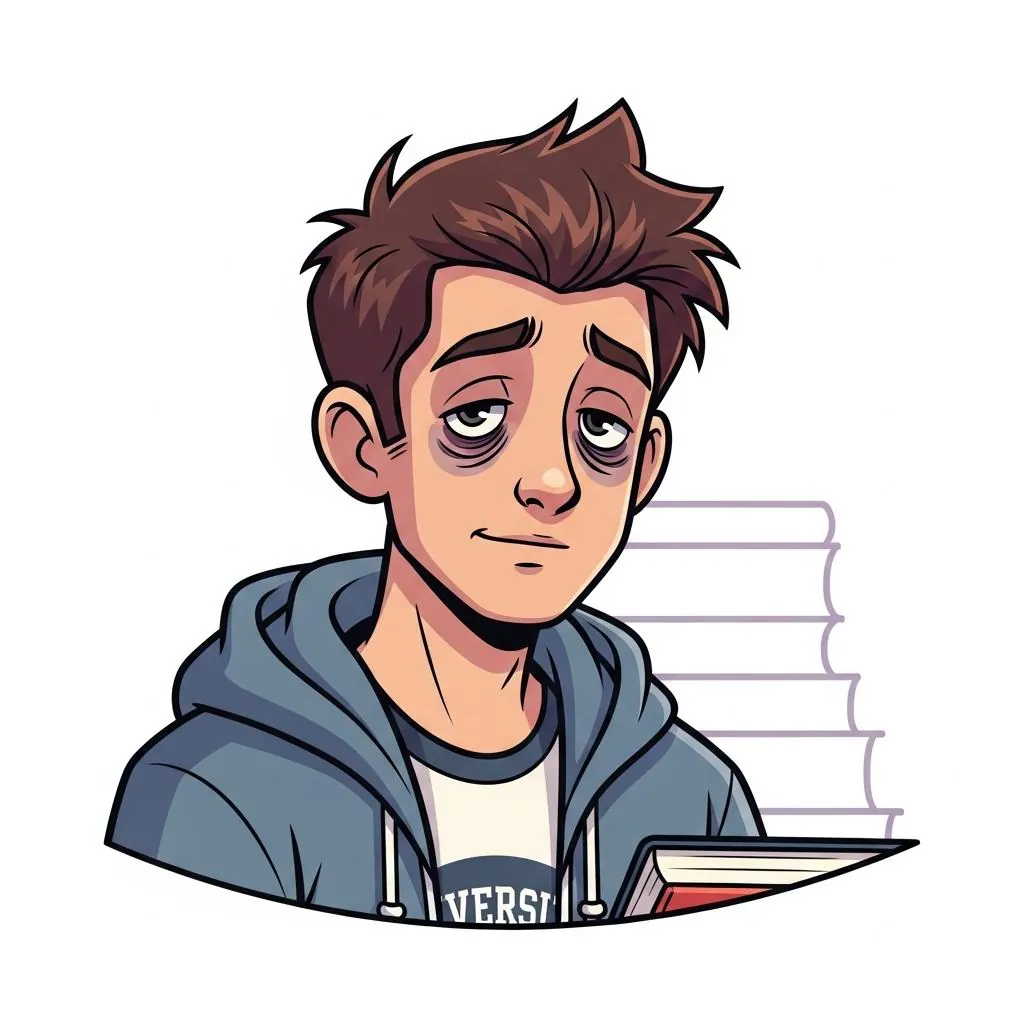
Illustration of Teamwork Tommy

Teamwork Tommy

3rd-year undergraduate · Arts & Science · 21

“I wish there was one place where I could manage all my group projects. Switching between apps just makes everything more complicated.”

Pain points
  • Group chats scattered across apps.
  • Misses meetings due to lack of sync.
  • Loses track of shared files.
Goals
  • A centralised system to manage multiple group projects.
  • Connect and collaborate with new group mates without relying on non-university tools.

Empathy map
Says“What is your name?” “Could I get everyone’s contact information so I can add us to a group chat?”
Thinks“I wonder which platforms have messaging features to interact with other students?” Imagines a platform that works for group mates who don’t use social media.
FeelsExhausted from hunting for group mates in class; relieved when found; frustrated by people on different platforms; resentful about constantly chasing deadlines.
DoesIdentifies group mates by matching names seen in class, approaches them, connects through whatever social app they use, falls back to text messages.
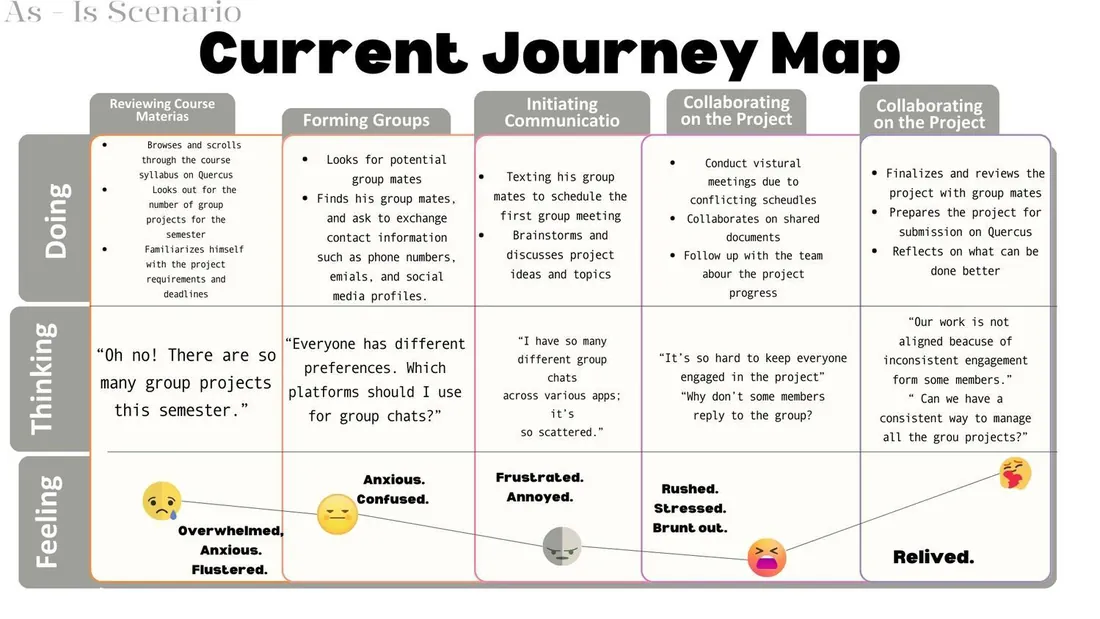
As-is journey map of Tommy’s group project
As-is journey map: what Tommy does, thinks and feels across a group project.

03.Develop

Storyboard of Tommy missing a meeting because chats are scattered
Before: group chats scattered across platforms, so Tommy misses an important meeting.

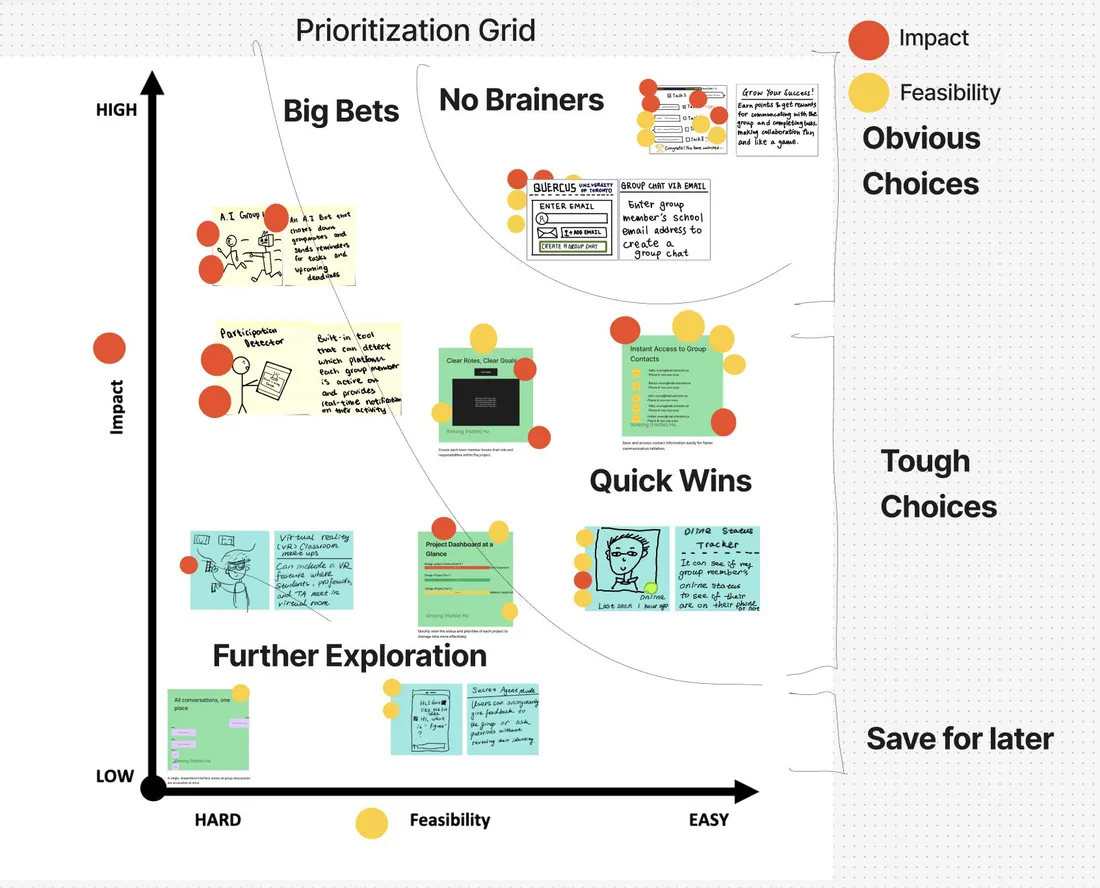
Affinity diagramming grouped pain points and sketched solutions; a prioritisation grid weighed impact against feasibility according to our final votes.
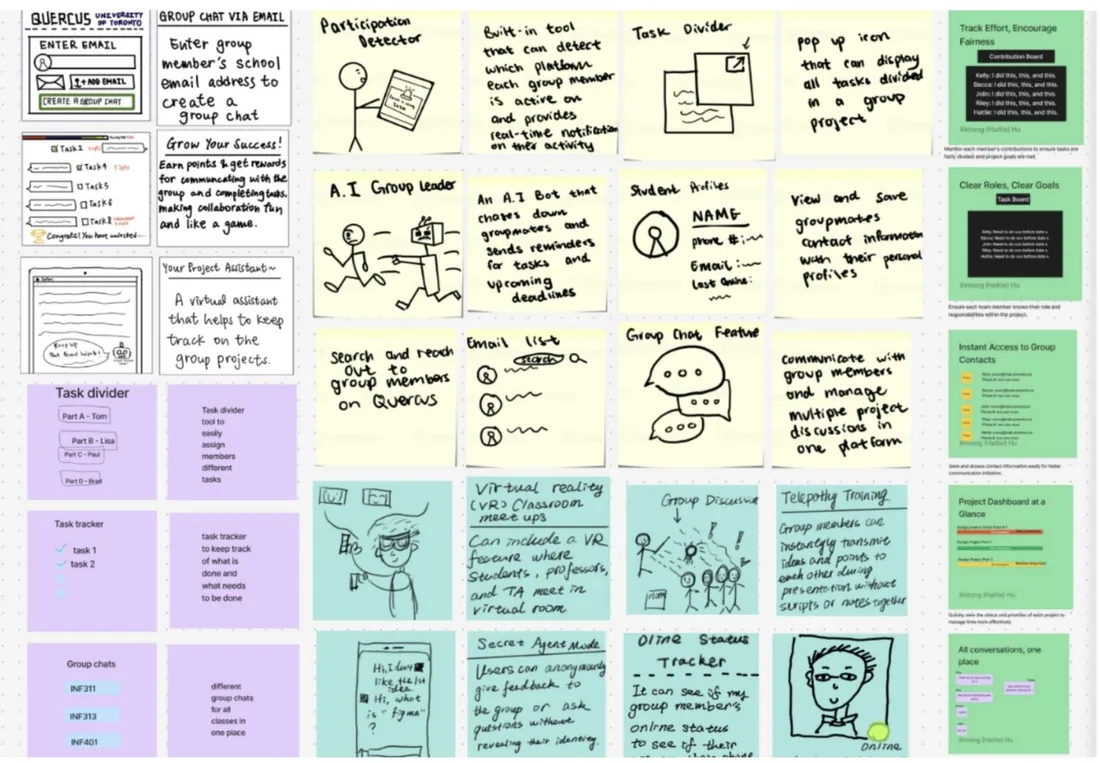
Affinity diagram of pain points and sketched solutions
Prioritisation grid of ideas by impact and feasibility

Ideation affinity diagram and the impact × feasibility grid.

A low-fidelity prototype was tested with three representative users across four core tasks using a think-aloud protocol.
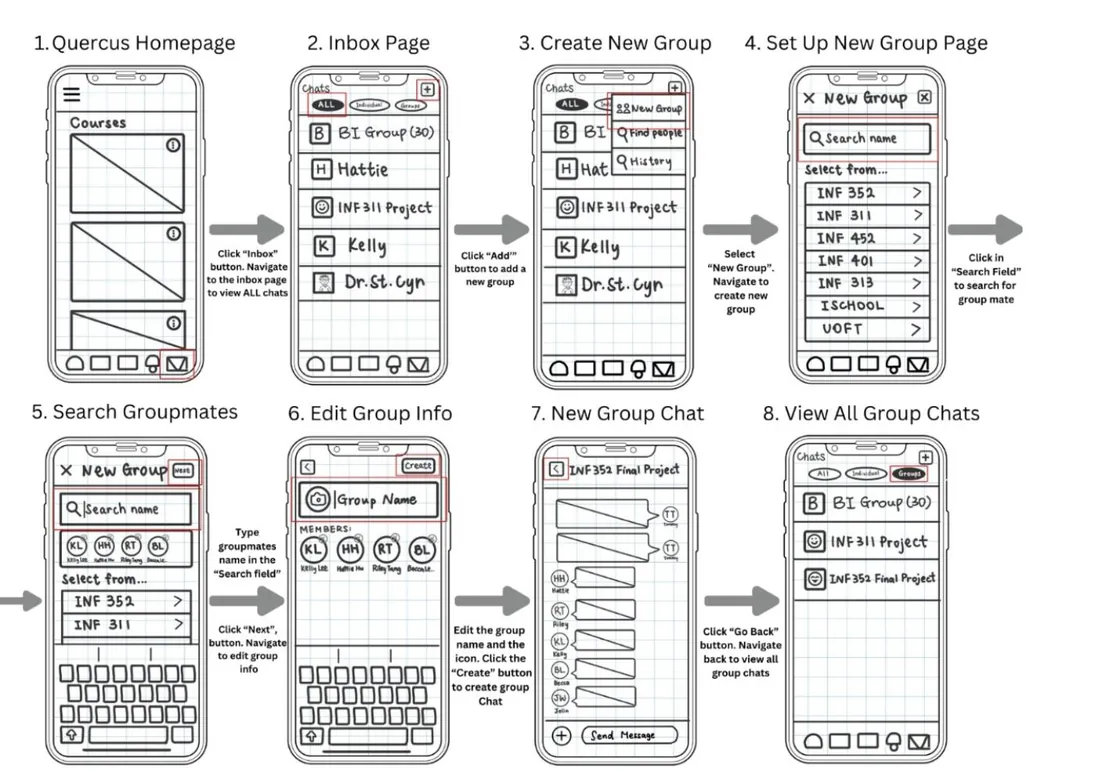
Low-fidelity paper wireframes of the group chat flow
Low-fidelity wireframes tested with three users across four core tasks.
Navigation issuesConfusion with multiple cancel buttons and unclear functionality for adding content.
Selection difficultiesAmbiguous member selection and confirmation steps.
Limited system feedbackNo confirmation messages or status updates.

04.Deliver

The mid-fidelity prototype aligned the redesign with three design principles.
Recognition over recallClear button labels, explicit action steps and visual cues to minimise memory load.
Consistency & standardsUniform button placement, standardised interaction patterns and consistent visual language.
Visibility of system statusClear feedback messages, progress indicators and confirmation dialogs.
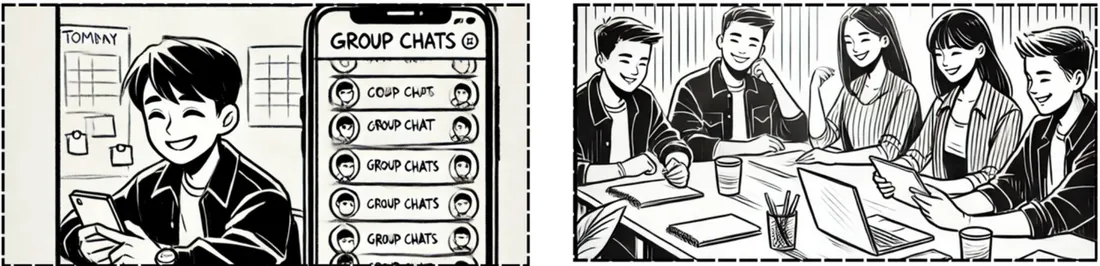
Storyboard of Tommy using the improved Quercus group chat
After: Tommy no longer wonders which platform the discussion is on, and no longer misses meetings.
54
students in research
3 × 4
users × core tasks in usability testing
3
design principles applied
